
 English
 Čeština
 Deutsch
 Español
 Polski
 Português
 Türkçe
 Русский
 Українська
 हिन्दी
 中文
What this function does
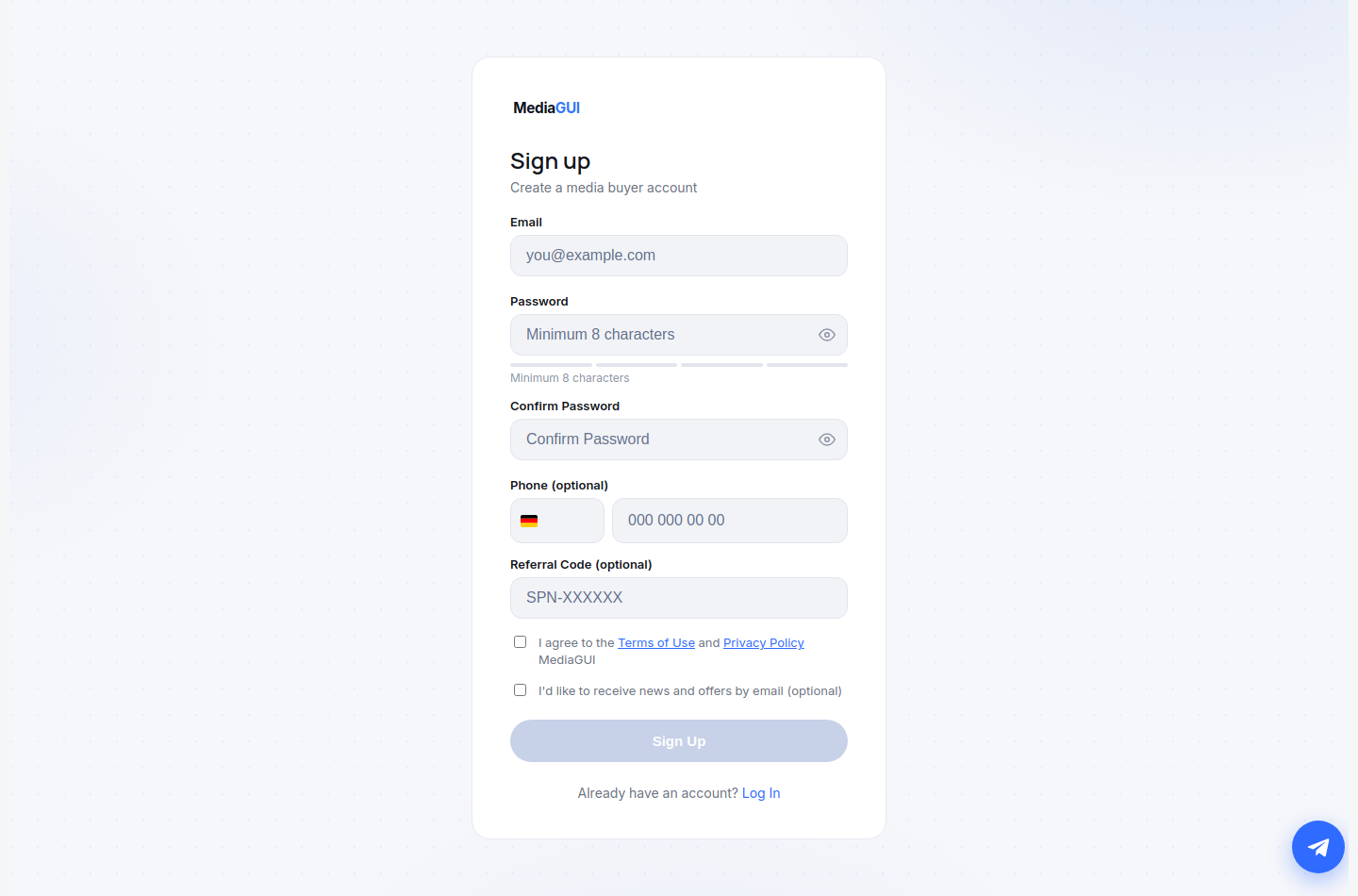
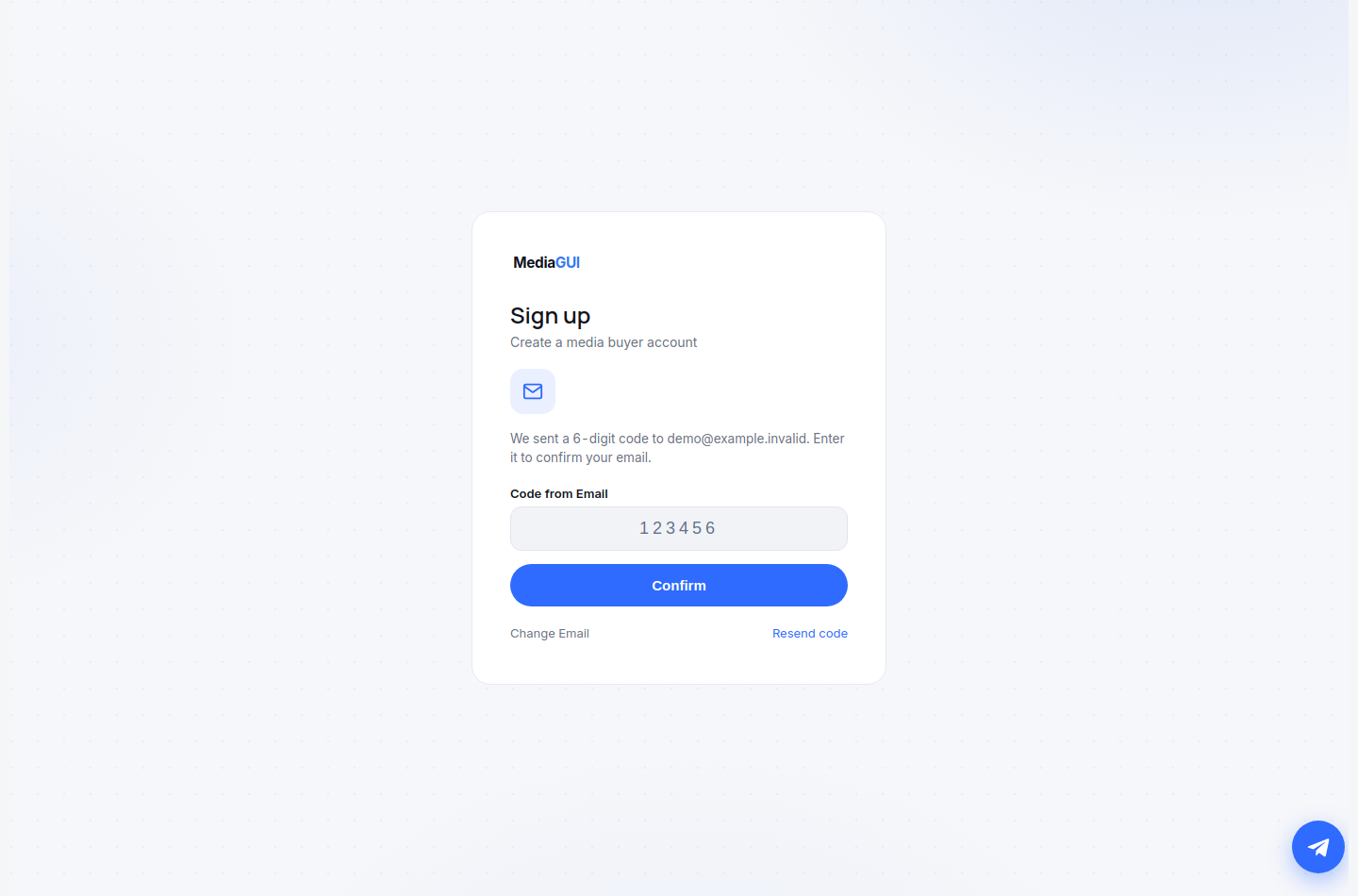
Open registration, use an email address you control and choose a unique password. Enter the emailed code and complete your profile. If it does not arrive, check spam and the address; resend only when the form allows it. Never share the code with support.
Before you begin
An accessible email address, a unique password and access to the current registration form. A mailbox screenshot is not required.
Step by step
- Open /register and enter your email. Choose a unique password of at least eight characters and enter the same password again.
- Read the terms and set the required consent. A phone number is optional; if entered, use the appropriate country and check its format.
- Submit the form once. If the authentication provider displays the verification step, open your mailbox and enter the code only on MediaGUI. This step depends on the provider being available.
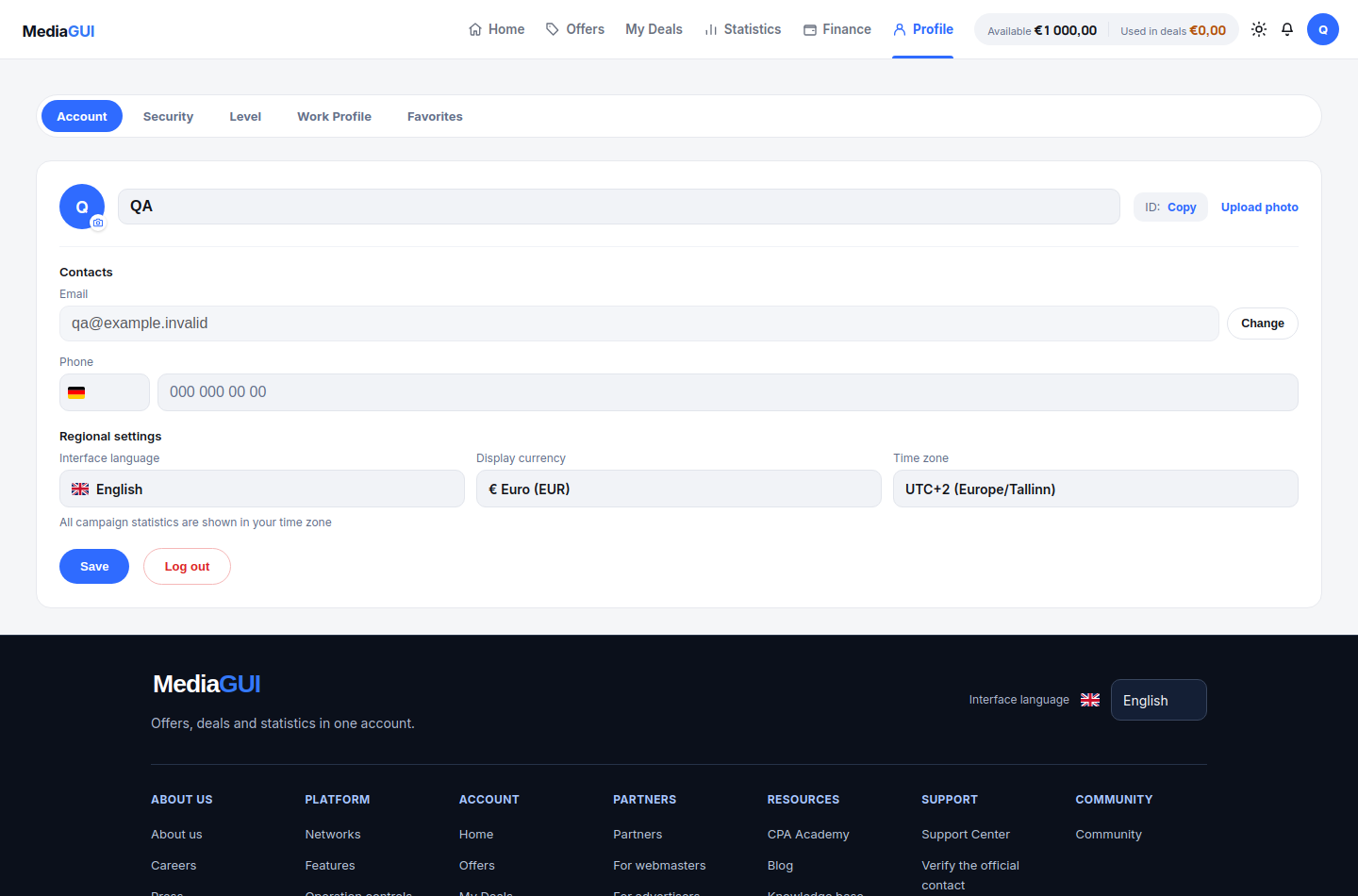
- After signing in, open your profile settings and review the displayed account information. Use /login for an existing account instead of creating another one.
Example
Use a mailbox you can open now. If the two password fields differ, correct them before sending another registration request.
The interface in practice
Actual local MediaGUI interface with a test session and demonstration data. This is not a customer account or proof of a production transaction.
Expected result
You can sign in to the same account and find its profile. A submitted form alone does not prove that email verification succeeded.
Common problems and solutions
- No verification message: check the address, spam folder and provider availability. Use the resend control when available; do not guess codes or repeatedly register.
- Password rejected or confirmation differs: re-enter both fields, check the minimum length and inspect the actual form error. Do not send the password to support.
Never share passwords, verification codes, wallet details or personal documents in screenshots. Crop unrelated information before contacting support.