
 English
 Čeština
 Deutsch
 Español
 Polski
 Português
 Türkçe
 Русский
 Українська
 हिन्दी
 中文
What this function does
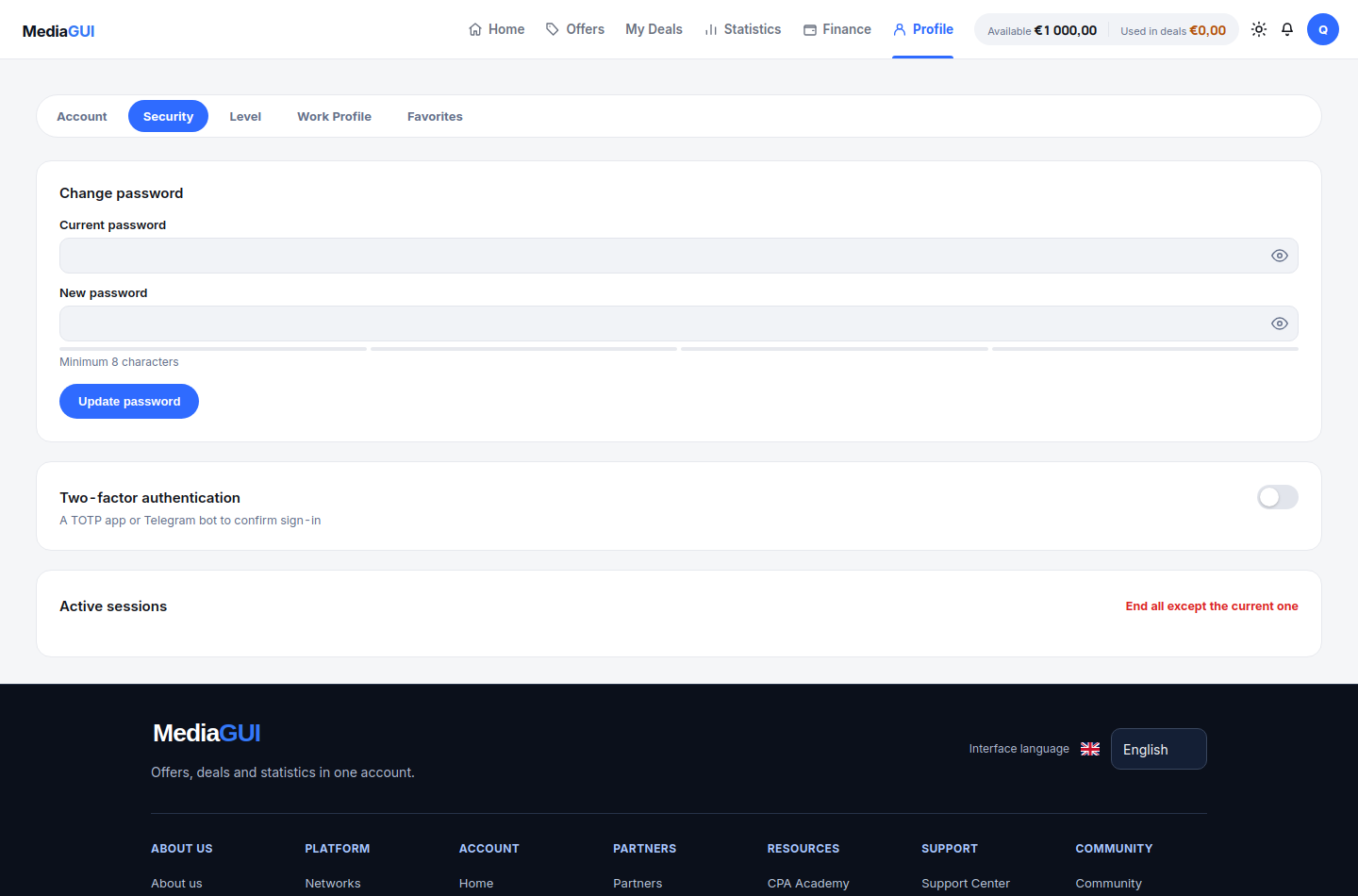
Use a unique password and review active sessions in Security settings. Additional factors depend on authentication settings; contact support if an error occurs.
Before you begin
Your own account session and access to its security settings. Keep account recovery information private.
Step by step
- Open /settings/security and review the controls available to your account. Enable or change a security feature only when you understand its recovery requirements.
- Use the account’s own password and authentication controls. Never paste a verification or recovery code into a chat or a page linked by an unsolicited message.
- Open /support and use its verification information to confirm the official contact. Do not rely on a display name or an advertisement alone.
- Describe the affected section, approximate time, steps and error text. Attach a cropped screenshot only after removing personal details and secrets.
Example
A useful report contains the section, time and visible error. It does not contain a password, email verification code, recovery code or wallet secret.
The interface in practice
Actual local MediaGUI interface with a test session and demonstration data. This is not a customer account or proof of a production transaction.
Expected result
You know where to manage security and can prepare a useful support request without disclosing credentials or recovery information.
Common problems and solutions
- A security control is unavailable: check the account session and the actual provider error. Do not follow unofficial instructions that ask you to disable protection.
- Someone asks for a code or transfer to fix the account: stop and verify the contact on /support. Support context never requires handing over your password or recovery secret.
Never share passwords, verification codes, wallet details or personal documents in screenshots. Crop unrelated information before contacting support.