
 English
 Čeština
 Deutsch
 Español
 Polski
 Português
 Türkçe
 Русский
 Українська
 हिन्दी
 中文
What this function does
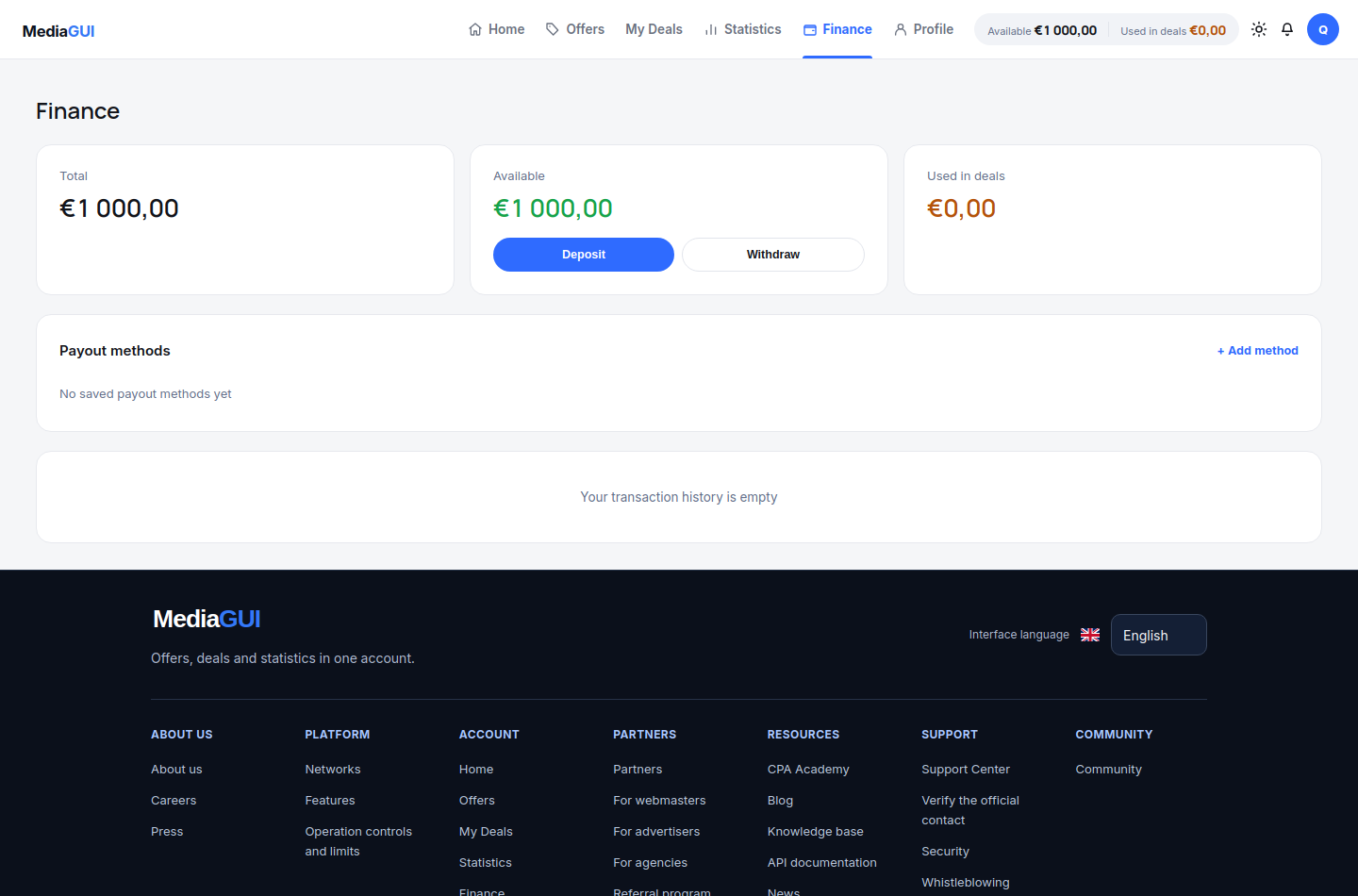
Separate deposits, payout methods, withdrawal requests and transaction history. Read the live limits and statuses instead of assuming that sending funds immediately credits the account.
Before you begin
A verified account session and access to /finance. Use only methods currently enabled in your interface.
Step by step
- Open /finance and identify available balance and history. Review an existing record before creating a new financial request.
- For a deposit, choose an enabled method, read the current amount and network instructions and check every detail before sending funds. Do not copy an address from a guide or another account.
- For a withdrawal, review the available amount, selected payout method and displayed limits. Only submit a request when you actually intend to withdraw.
- Track the request in the financial history. Use its actual status and identifier when contacting support; a submitted request does not mean the transfer has completed.
Example
A pending deposit is not an available balance. Check its status and the credited balance before treating the amount as usable for a deal.
The interface in practice
Actual local MediaGUI interface with a test session and demonstration data. This is not a customer account or proof of a production transaction.
Expected result
You can distinguish a financial request from a completed operation and can find the same request in history. This guide never asks you to make a transfer for practice.
Common problems and solutions
- Funds have not appeared: check the network and the record status. Do not send another payment to test the first, and do not treat a pending operation as credited.
- A withdrawal is unavailable: read the account restrictions, available balance and method requirements shown by the interface. Contact support through the verified public page.
Never share passwords, verification codes, wallet details or personal documents in screenshots. Crop unrelated information before contacting support.