
 English
 Čeština
 Deutsch
 Español
 Polski
 Português
 Türkçe
 Русский
 Українська
 हिन्दी
 中文
What this function does
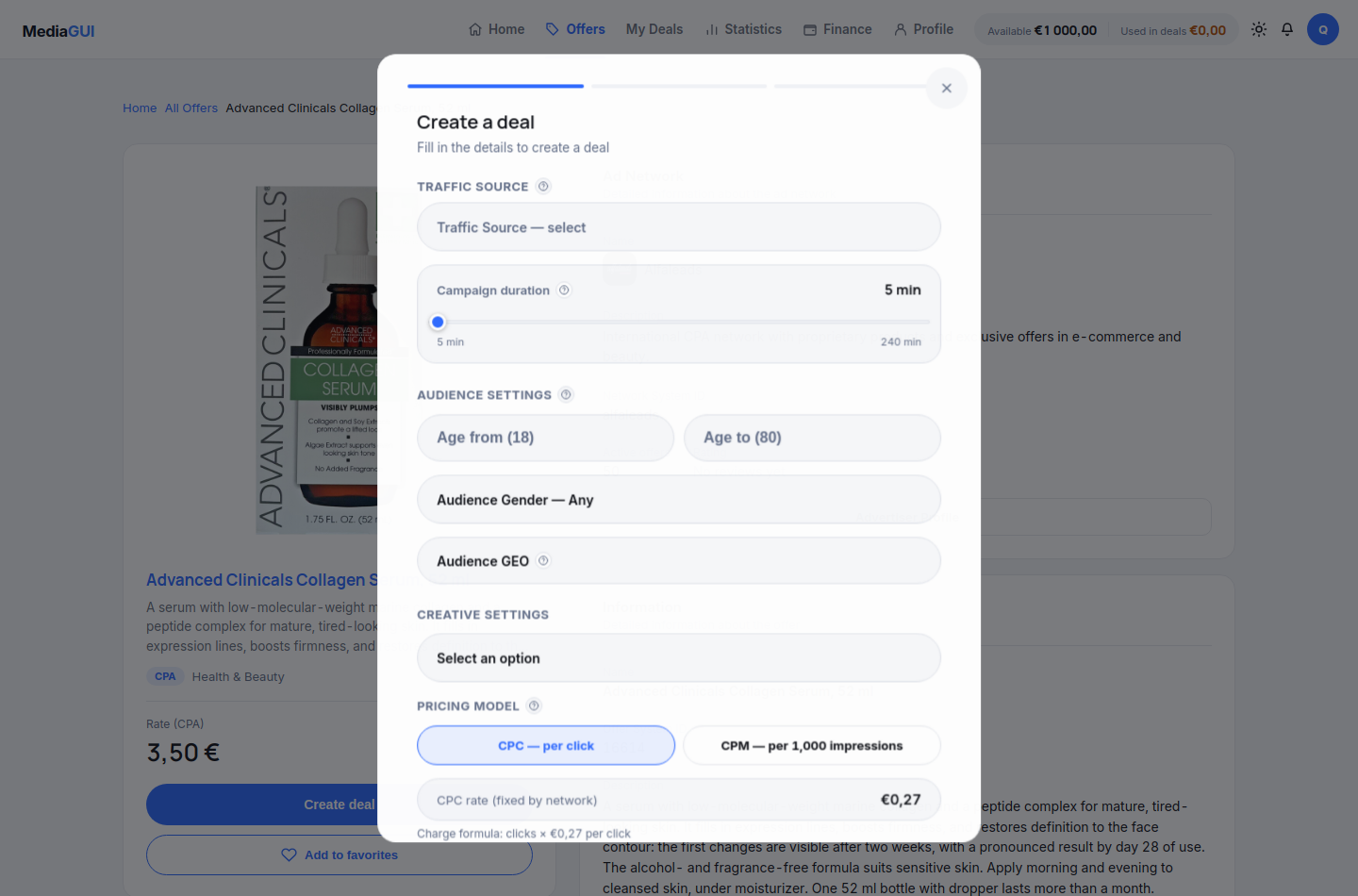
Open deal creation from an offer. Select source, geography, age, creatives, duration and amount; review the summary before confirming. Open details and status under My deals. A deal status change does not mean a crypto withdrawal has been sent.
Before you begin
A signed-in, permitted account, a selected offer and sufficient available funds for the amount accepted by the form.
Step by step
- Open the chosen offer and use its deal action. Review the selected offer and the amount in the form before proceeding.
- In the deal form, select a traffic source and duration. Review audience age, gender and GEO rather than assuming the offer supplies those settings.
- Choose an available creative and check the CPC or CPM buying model and its displayed rate. These buying settings are different from the offer’s CPA/CPL/RevShare reward model.
- Check the displayed currency, minimum and available balance. Read validation errors rather than changing the amount randomly to bypass them.
- Read the confirmation carefully. Only submit when you intend to create a real deal; the screenshots in this guide stop before a real financial operation.
- Open /deals and inspect the created record and its detail page. Read its actual status, such as active, paused or completed, and use only the actions available for that state.
Example
Review a proposed amount against the minimum shown by the form and the available balance. If either check fails, stop at the form and correct the inputs.
The interface in practice
Actual local MediaGUI interface with a test session and demonstration data. This is not a customer account or proof of a production transaction.
Expected result
A successfully accepted deal appears in your deal list. Its identifier, offer and status let you follow the same record without launching it twice.
Common problems and solutions
- The amount is refused: compare the form limits with your available balance and account state. Do not assume a pending deposit is already available.
- A response is delayed: inspect the deal list before retrying. Keep the displayed identifier and error text for support; never create a second deal just to check whether the first exists.
Never share passwords, verification codes, wallet details or personal documents in screenshots. Crop unrelated information before contacting support.